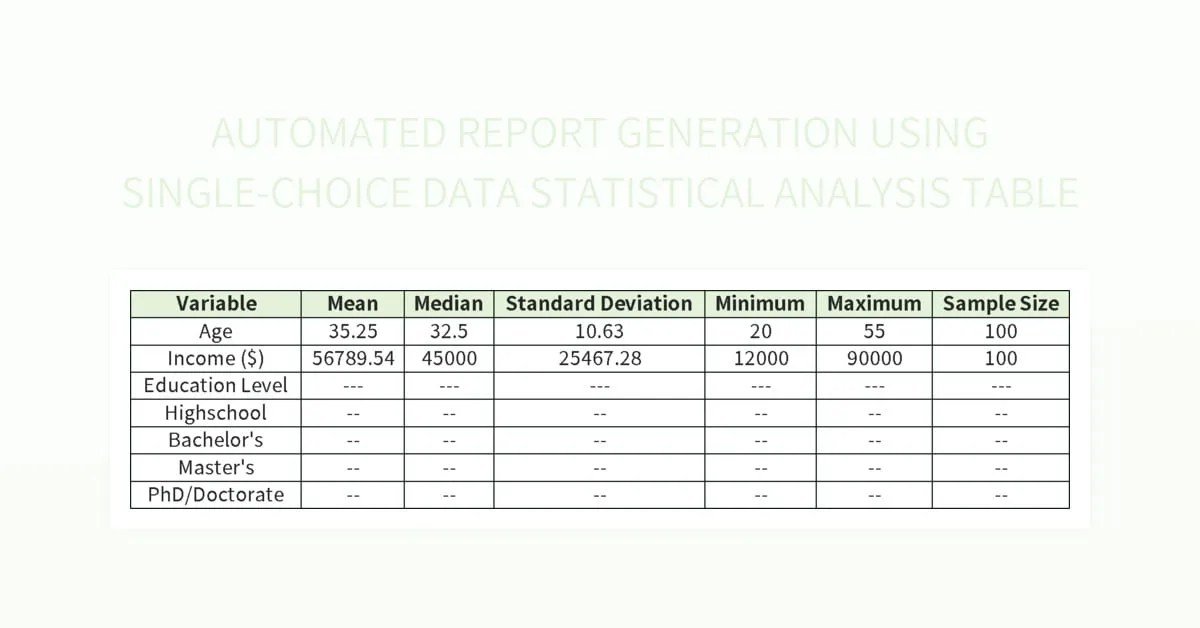
In today's data-rich business landscape, simply having information isn't enough. You need to transform raw data into actionable insights, quickly and consistently. This is precisely where Automating Business Report Generation with Charts becomes a game-changer, turning overwhelming spreadsheets into crystal-clear narratives that drive smarter decisions. Gone are the days of manual data wrangling, endless copy-pasting, and last-minute chart creation; modern automation empowers you to deliver visual intelligence on demand.
At a Glance: Your Reporting Revolution Starts Here
- Ditch the Manual Drudgery: Stop wasting 80% of your time on data preparation. Automation handles repetitive tasks, freeing you for analysis.
- Visualize for Impact: Charts and graphs are non-negotiable. Automated tools instantly translate numbers into compelling visual stories.
- From Data to Decisions, Fast: Get insights in minutes, not days, accelerating your decision-making cycles.
- Consistency is Key: Ensure every report adheres to brand guidelines and data accuracy, every single time.
- Empower Everyone: Non-technical teams can generate sophisticated reports, democratizing data access.
- Choose Wisely: Select tools based on your specific pain points, team's technical skill, and total cost, not just features.
- Start Small, Scale Smart: Don't try to automate everything at once. Pick one painful report and master its automation.
The Problem: Drowning in Data, Thirsty for Insights
Think about your last business report. How much time did you actually spend analyzing the data versus preparing it? For many teams, the answer is a sobering 80% on manual data preparation, leaving a mere 20% for actual insight generation. This isn't just inefficient; it's a bottleneck to strategic thinking.
Manual reporting is a vicious cycle:
- Time Sink: Collecting data from disparate sources, cleaning it, manually updating spreadsheets, and then painstakingly creating charts takes hours, if not days.
- Human Error: Every manual step introduces the risk of mistakes, from copy-paste errors to incorrect formula applications, eroding trust in your reports.
- Stale Data: By the time a manual report is finished, the data might already be outdated, making its insights less relevant.
- Inconsistent Visuals: Different team members might use varying chart types, color palettes, or formatting, leading to a fragmented and unprofessional brand image.
- Limited Scalability: As your data grows or reporting needs expand, manual processes simply can't keep up.
This isn't just about saving time; it's about unlocking the true potential of your data. Without automation, data remains locked in silos, and critical trends remain hidden beneath layers of manual effort.
The Solution: Why Automate Report Generation (Especially with Charts)?
Automating report generation transforms data into a strategic asset. When you layer in automated chart creation, you elevate those reports from mere data dumps to powerful visual narratives. This isn't just a convenience; it's a necessity for modern businesses.
Imagine:
- Instant Visual Clarity: Bar graphs showing monthly sales trends, line charts illustrating website traffic over time, or pie charts breaking down market share – all generated automatically from fresh data. This makes complex information immediately understandable. Our comprehensive Our comprehensive chart generator capabilities are a key component of this transformation.
- Always Up-to-Date: Reports refresh with the latest data, ensuring your decisions are always based on current information.
- Error-Free Accuracy: Machines don't make typos or misinterpret formulas, guaranteeing reliable data integrity.
- Focus on Strategy: Analysts can shift their focus from repetitive data entry to deeper analysis, identifying root causes, and forecasting future trends.
- Democratized Data: Even non-technical stakeholders can access and understand complex data through user-friendly, automated reports filled with clear visuals.
- Unparalleled Consistency: Every report, every chart, every time, adheres to predefined standards, ensuring professional presentation and brand alignment.
The next generation of automation tools goes even further, not just processing data but highlighting anomalies, suggesting insights, and drafting preliminary analysis, truly augmenting human analytical capabilities.
The Pillars of Effective Report Automation
Successful automation isn't just about slapping a tool on top of your existing process. It requires understanding the core components that make it effective:
- Robust Data Connection & Pipeline: The foundation of any automated report is reliable access to your data. This means connecting to various sources (CRMs, ERPs, advertising platforms, databases, CSVs) and establishing pipelines that can gracefully handle changes in APIs, file formats, or column names. Tools should provide clear error messages when issues arise.
- Intelligent Data Analysis & Insight Generation: Beyond just crunching numbers, the best automation tools use AI and smart algorithms to identify key trends, outliers, and highlight important takeaways. This means moving beyond simple aggregation to actual analytical insight.
- Automated, Compelling Data Visualization: This is where charts come into play. The system should automatically build appropriate and effective charts (bar, line, pie, etc.) to create a clear visual narrative, turning raw numbers into an easy-to-digest story.
- Interactive & Editable Reports: Modern reports aren't static PDFs. They offer interactivity, allowing users to drill down into data, filter information, and explore insights. Crucially, they should also be editable, providing flexibility for refinement and customization.
- Seamless Integration & Workflow Automation: From connecting data to generating the final report, and even converting it into a presentation, the entire workflow should be streamlined. This means automating tasks like report distribution, presentation creation, and data refreshes.
PageOn.ai: A Next-Gen Approach to AI-Driven Visual Reporting
While many tools handle specific parts of the reporting process, platforms like PageOn.ai offer an end-to-end solution designed to instantly create data-driven business reports with a strong emphasis on visual storytelling. It acts as an intelligent AI report generator, taking your data and transforming it into polished, editable reports in minutes.
Here’s what makes it stand out:
- AI-Powered Analysis from the Start: You can input ideas, questions, text, or import files like CSVs and paste data tables. PageOn.ai's AI immediately analyzes your data, identifies key trends, and highlights important takeaways, effectively giving you a sophisticated first draft.
- Automated, Compelling Data Visualization: Forget manually selecting chart types. The platform automatically builds compelling charts and graphs (bar, line, pie) to create a clear visual narrative directly from your data, ensuring your reports are instantly understandable and impactful.
- Interactive and Editable Reports: It generates modern, interactive reports using flexible AI Blocks, not rigid templates. This means you can easily refine, reorganize, and customize any part of the report text or visuals.
- AI Chat for Deeper Dives: Have follow-up questions about the data? You can ask them directly within the report via an integrated AI chat, getting immediate answers and deeper context.
- Report-to-Presentation Conversion: One of its most powerful features is the ability to instantly convert a finished AI-generated report into a polished, presentation-ready slide deck (PPTX) with a single click. This automates the entire workflow from analysis to presentation delivery, saving hours.
- True Automation: Set up a report structure once, then simply provide new data (e.g., monthly CSVs), and the AI updates the entire report automatically, including all charts, text analysis, and insights.
- Specialized Financial Analysis: PageOn.ai can even analyze financial data from CSVs/pasted tables, creating P&L summaries, highlighting financial ratios, and generating executive summaries, with editable figures for verification.
How PageOn.ai Differentiates: - Vs. Manual Design Tools (Piktochart, Venngage): Unlike tools that help you design, PageOn.ai automates the writing, analysis, insight generation, and chart creation for a full first draft in seconds.
- Vs. Free AI Report Generators: Most free tools have strict limits on data upload size, pages, design options, and lack advanced AI analysis, data chat, or one-click presentation conversion.
- Vs. AI Slide Makers (Storydoc): PageOn.ai is an end-to-end platform that connects to data, analyzes, visualizes, writes the report, and converts it to an editable PPTX, whereas others might focus solely on interactive web-based presentations.
Choosing Your Automation Ally: A Decision Framework
Selecting the right tool for automating business report generation with charts isn't a one-size-fits-all endeavor. It depends on your unique challenges, team capabilities, and budget. Follow this framework to make an informed decision:
1. Identify Your Biggest Headache
Start by pinpointing the specific problem you're trying to solve.
- Data Preparation is a Nightmare: If your team spends too much time cleaning, merging, and transforming messy data, tools like Mammoth, Alteryx, or Python-based solutions are your best bet. Mammoth, for example, is excellent for non-technical teams, automating data preparation between messy sources and reporting tools with zero coding.
- Reports Are Ugly/Static (but data is clean): If you have good data but struggle to create compelling, interactive, and visually appealing reports with charts, look at visualization-focused tools like Tableau, Power BI, or Looker Studio.
- Manual PowerPoint Updates are Draining: If your main pain point is constantly updating presentations with new data, consider specialized solutions like Displayr, Upslide, or Indico Labs, which excel at connecting data directly to presentation slides.
- Struggling with Marketing Performance Insights: For website analytics, start with Google Analytics. For multi-platform marketing attribution and cross-channel reporting, tools like Funnel.io or Klipfolio are highly effective.
- Need Comprehensive AI-driven Report & Presentation Creation: If you need a tool that handles data analysis, generates insights, creates all charts, writes report text, and converts to presentations, PageOn.ai fits this niche.
2. Match the Tool to Your Team's Technical Prowess
The best tool is one your team can actually use and maintain.
- Non-Technical Teams: Opt for user-friendly, drag-and-drop interfaces with minimal to no coding required. Examples include Mammoth, Looker Studio, Klipfolio, and PageOn.ai.
- Technical Teams: If you have developers or data scientists, Python (with libraries like Pandas and Matplotlib/Seaborn) offers maximum flexibility and control, allowing for highly customized solutions. Alteryx and Q Research Software also cater to more technical users.
- Mixed Teams: Tools like Power BI and Tableau strike a balance, offering powerful features accessible to analysts while also supporting more technical users for advanced customization.
3. Consider the Total Cost of Ownership
Don't just look at the monthly subscription fee. Factor in:
- Training Time: How long will it take your team to become proficient?
- IT Support & Maintenance: Will you need dedicated IT resources? How robust is the vendor's support?
- Scalability: Can the tool grow with your data and reporting needs?
- Integration Costs: Will it easily integrate with your existing tech stack, or will custom development be required?
A $200/month self-running tool that saves 20 hours of manual work is often far cheaper than a $50/month tool that requires constant attention and troubleshooting.
Specific Automated Reporting Tools & Their Strengths
Let's dive into some of the prominent players mentioned in our research, highlighting their best fit:
- Mammoth Analytics:
- Best for: Non-Technical Teams, eliminating data busywork.
- Strengths: Automates data preparation between messy sources and reporting tools. Zero coding, processes billions of rows, built-in monitoring, works with existing visualization tools.
- Cost: Affordable, starting around $19/month per user.
- Tableau:
- Best for: Interactive Dashboards, complex data visualization.
- Strengths: Industry gold standard for visually stunning and interactive dashboards with powerful charts. Real-time updates, enterprise security, massive ecosystem.
- Power BI:
- Best for: Microsoft Ecosystem users, cost-effective business intelligence.
- Strengths: Seamless integration with Excel, Teams, SharePoint. Cost-effective with Office 365, regular updates, decent collaboration, and strong visual capabilities for charts and graphs.
- Google Analytics:
- Best for: Website Performance Reporting.
- Strengths: Free tier, automated email reports, deep integration within the Google ecosystem, real-time data tracking for web metrics, often used as a source for other reporting tools.
- Alteryx:
- Best for: Complex Data Workflows, advanced transformations.
- Strengths: Drag-and-drop interface for highly complex data transformations, spatial analytics, predictive modeling. Strong governance and handles vast data transformations before visualization.
- Cost: High, starting at nearly $5,000 per user annually.
- Looker Studio (formerly Google Data Studio):
- Best for: Free Option, simple reporting needs, Google users.
- Strengths: Free, real-time connections to Google services (GA, Ads, Sheets) and many others. Decent templates, collaboration features, and good for basic chart creation and dashboards without licensing costs.
- Domo:
- Best for: Enterprise Scale, executive-level reporting.
- Strengths: Manages reporting across multiple departments and data sources, handles massive data volumes, strong mobile experience, large library of pre-built connectors, real-time collaboration with robust visual capabilities.
- Python (Pandas/Jupyter):
- Best for: Custom Solutions, technical teams with specific needs.
- Strengths: Complete control over data and visualization, connects to virtually any data source, huge community and libraries (e.g., Matplotlib, Seaborn, Plotly for charts), highly cost-effective (if you have the developer time).
- Klipfolio:
- Best for: Marketing Dashboards, smaller marketing teams.
- Strengths: Templates for common marketing use cases, easy campaign tracking across platforms, good visualization options for various charts, and suited for quick insights.
- Displayr:
- Best for: Market Research, PowerPoint integration.
- Strengths: Strong PowerPoint integration for automated reporting, advanced statistical features, collaboration tools for research teams, and AI-powered insights within the research context.
- Q Research Software:
- Best for: Statistical Analysis, technical market researchers.
- Strengths: Full R language support, one-click updates for complex analyses, optimized market research workflow, advanced statistical testing for robust data interpretation.
- Funnel.io:
- Best for: Marketing Attribution, consolidating ad platform data.
- Strengths: Connects to major advertising platforms (Google Ads, Facebook Ads, etc.), automates campaign performance reporting, multi-touch attribution modeling, and collects data across the entire marketing funnel for unified reporting.
- Upslide:
- Best for: PowerPoint Automation within Microsoft ecosystem.
- Strengths: Direct data connections to PowerPoint slides, ensuring brand compliance, real-time updates without manual copy-pasting, works seamlessly within Excel and PowerPoint for automated chart generation.
- Indico Labs:
- Best for: Presentation Workflows for consultants/researchers.
- Strengths: Simple interface for data mapping to specific chart/table elements, strong template management, automated PowerPoint generation for quick report delivery.
- Sisense:
- Best for: Embedded Analytics within other software products.
- Strengths: Powerful APIs for integrating analytics and reporting directly into your own applications, good performance with large datasets, AI-powered insights for end-users, flexible deployment options.
Avoiding the Automation Minefield: Common Mistakes to Sidestep
Automating report generation, especially with charts, is highly rewarding, but it's not without its potential pitfalls. Being aware of these common mistakes can save you significant time and frustration:
- Picking a Tool Based on Feature List, Not Problem Solved: It's easy to get swayed by a shiny interface or a long list of features. Instead, relentlessly focus on the core problem you identified in step one of the selection process. Does the tool genuinely solve that specific pain point, or does it just add more complexity?
- Underestimating Setup Time: True report automation, especially with robust data pipelines, takes time. Expect 2-4 weeks for even basic automation of a single report. This includes connecting data sources, configuring transformations, designing outputs, and testing. Don't promise instant results; manage expectations.
- Automating Bad Data: "Garbage in, garbage out" is an immutable law of data. Before you automate, fix your source data quality. Automating a flawed data input will only generate beautifully charted flawed reports, leading to bad decisions. Prioritize data hygiene first.
- Trying to Automate Everything at Once: The urge to tackle all your reporting woes simultaneously can be overwhelming and lead to project paralysis. Start small. Pick one simple, high-pain report, automate it successfully, and learn from the process. This builds confidence and momentum for future automation efforts.
- Neglecting Monitoring and Alerts: Automated reports aren't "set it and forget it." Data sources can change, APIs can break, and credentials can expire. Implement monitoring and alert systems to notify you immediately if a data pipeline fails or a report doesn't generate correctly.
- Ignoring User Feedback: Even the most technically perfect automated report isn't useful if it doesn't meet the needs of its audience. Regularly solicit feedback from stakeholders on clarity, relevance, and usability of the charts and insights.
Your First 4-Week Automation Sprint: A Practical Roadmap
Ready to get started? Here's a structured, actionable plan to automate your first business report with charts:
Week 1: Document Your Pain
- Identify the "Most Annoying" Report: Pick one specific report that consumes significant manual time, is frequently needed, and would benefit most from automated charts.
- Map the Current Process: Document every single step involved: data sources, extraction methods, manual transformations, calculation steps, chart creation, and distribution. Note down all the pain points, errors, and time sinks.
- Define Your Desired Output: What should the automated report look like? What specific charts are essential? What questions should it answer?
Week 2: Test Drive & Evaluate - Shortlist 2-3 Tools: Based on your identified headache and team's technical skills (from the "Choosing Your Automation Ally" section), select a few promising tools.
- Free Trials with Real Data: Use free trials to test-drive these tools using actual, anonymized data from your chosen report. Focus on how easily you can connect data, generate necessary charts, and produce the desired output. Pay attention to ease of use and visual clarity.
- Compare Against Your Needs: Which tool best addresses your specific pain points documented in Week 1? Which offers the most intuitive chart generation?
Week 3: Build Your First Automation - Simple Data Collection: Set up the connection to your data source(s) within the chosen tool. Focus on getting the raw data flowing reliably.
- Basic Charting & Report Structure: Build the foundational charts and structure of your report. Start with the most critical visuals.
- Monitoring & Alerts: Configure basic monitoring to ensure the data pipeline is active and the report generates without errors.
- Document the Process: Record every step you take, including configurations, transformations, and chart types used. This is crucial for future maintenance and scalability.
Week 4: Refine, Share & Plan Next Steps - Refine & Verify: Review the automated report and its charts thoroughly. Cross-check against manual versions for accuracy. Refine chart aesthetics, labels, and overall report clarity based on your desired output from Week 1.
- Fix Issues: Address any errors or inconsistencies discovered during verification.
- Train Teammates: Share your success! Train key stakeholders or teammates on how to access and interpret the new automated report. Gather their initial feedback.
- Plan Next Automation: With one success under your belt, identify the next report to automate, building on your newfound expertise.
The Future is Visual and Intelligent
The journey of automating business report generation with charts is an ongoing evolution. We're moving beyond simple dashboards to systems that not only present data but actively interpret it for us. The future promises even more sophisticated AI capable of:
- Proactive Anomaly Detection: Systems that automatically flag unusual trends or data points in your charts without you needing to manually hunt for them.
- Prescriptive Insights: Reports that don't just tell you what happened, but why it happened and what you should do next.
- Natural Language Interaction: Imagine asking your report, "Why did sales drop in Q3 for product X?" and getting a visual and textual explanation, complete with supporting charts.
- Personalized Reports: Dynamic reports that adapt content and chart focus based on the individual user's role and interests.
This evolution signifies a shift from data processing to data partnership, where intelligent tools augment human capabilities, allowing us to focus on strategic thinking and innovation, rather than repetitive tasks.
Beyond the Dashboard: Making Automation Work for You
Automating business report generation with charts isn't just about implementing new software; it's about fundamentally changing how you interact with information. By embracing these tools, you're not merely saving time; you're cultivating a data-driven culture that makes faster, more informed decisions. You're empowering your team with visual insights that resonate, turning complex numbers into compelling stories.
The path to smarter reporting starts today. Identify your pain, choose your tools wisely, start small, and build momentum. The future of your business hinges on how effectively you can leverage your data, and automated, visually rich reports are your most powerful ally in that endeavor.